Performance Max Spends, Sales Stay Unclear

01The Short Answer
You can see far more than most owners think. Google Ads now shows Performance Max search terms, channels, products and placements. Your brand searches show up right in that search terms report.
Reading it fairly is the hard part. Judge PMax by what your whole store sells before and after. Never judge it by its own ROAS column.
Open the Performance Max search terms report. Tag every search that names your brand. Work out brand's share of cost and its share of conversions. A big brand share of sales flatters PMax ROAS. Add brand exclusions and give brand its own Search campaign. Then judge PMax by whole store revenue, never its own column.
How I checked: I read the Google Ads Help page for every report named here. I opened each one in October 2026. Google keeps adding PMax reports, so I date the claims that move. Store examples come from my own audits with details removed.
02Why It Happens
I see these causes in roughly this order. Brand is the big one.
1. Your Brand Searches Sit Inside PMax
PMax can serve on searches for your own store name. Those people already know you. Plenty of them would have found you anyway.
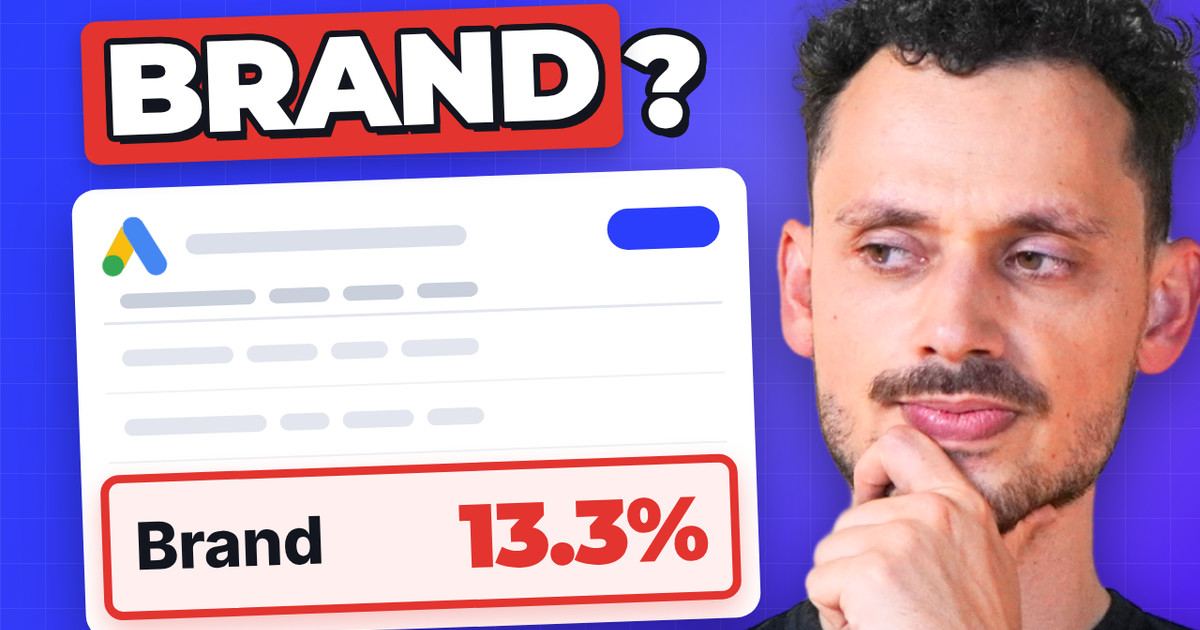
On one store I audited, brand searches took 7.9% of PMax cost. They brought 13.3% of its conversions. That small slice propped up the ROAS of the whole campaign.
Another account looked healthy at a 2.89 ROAS. With brand taken out it was about 1.08.
2. One Number Blends Every Channel
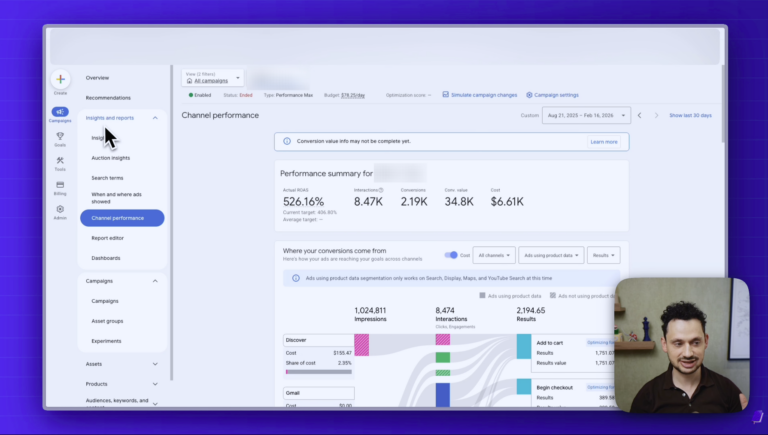
PMax spends one budget across Search and YouTube. Display, Discover, Gmail and Maps share it too. Google's channel performance page says you can't set a budget per channel. So a strong Shopping week can hide a weak video week.
3. Conversions Count the Wrong Things
PMax chases whatever your account marks as a primary conversion. In one account I found GA4 page views set as primary. Reported conversion value came out about 13 times too high.
4. Nobody Compares the Whole Store
Most owners judge PMax by its own ROAS column. That column only sees the sales PMax claims.
One store I worked on looked like PMax had collapsed. PMax revenue per day was down 58%. Total store revenue per day was down only 8.2%. Sales had moved to a new brand campaign and to direct visits. Next month was its best in over a year.
| Report or setting | Where it lives | What it can't tell you |
|---|---|---|
| PMax search terms | Campaigns, Search terms | No store visit or store sales conversions |
| Channel performance | Insights and reports | Dates before June 6, 2025, or a budget per channel |
| Products | Campaigns, Products | Totals that match the campaign, since it counts feed ads only |
| Placements | Report editor | Cost, conversions or anything on Search |
| Brand exclusions | Campaign settings | Display, Gmail or video outside YouTube search |
Source for every row is Google Ads Help, read in October 2026.
03What to Check, in Order
Work top to bottom. You need Google Ads access and your store's order export.
Open Goals, then Summary. Only real purchases should be primary. A page view or add to cart set as primary inflates every number below.
Go to Campaigns, then Search terms. Pick Search terms and landing pages for Performance Max (Google Help). Segment by Ad format to split Shopping ads from text ads.
Download the list. Tag every term that holds your brand name or a misspelling. Add up brand cost and brand conversions as shares of the campaign.
In campaign Settings open Additional settings. Brand exclusions sit there (Google Help). See if Shopping ads are still allowed on excluded brand searches.
Open Insights and reports, then Channel performance. My channel report walkthrough covers how to read it.
Open Products and filter to the PMax campaign. Since June 2026 it covers every network (Google Help). Look for a few products eating most of the cost.
Report editor holds the Performance Max placement report. It shows impressions only and leaves out Search. Google says not to judge performance with it (Google Help).
Take total store revenue and total ad spend for four to six weeks. Do it before and after a change. Match the weekdays and keep big sales out of both windows.
Checks one to three answer the brand question. Checks five and six answer what PMax actually sells.
04Tracking Problem or Sales Problem
Ask one question before anything else. Do Google Ads purchases roughly match your store's orders?
If they don't, you have a tracking problem. Every PMax number sits on a count you can't trust. Fix that before you touch the budget. My buyer-style tracking test shows how to check it.
If they match, look at the whole store. Did revenue move when PMax spend moved? Spend went up and total revenue stayed flat? That's a sales problem. PMax is then mostly claiming sales you'd get anyway.
05What I Do Next
On a new account I split brand out in week one. Brand gets its own Search campaign and its own line in the report. PMax gets brand exclusions.
PMax ROAS drops when I do that. Owners panic. The results are just getting clean.
From there I judge PMax on new buyers and whole store revenue. Google's customer acquisition goal can bid higher for new customers. It needs your customer list or a website tag to know who's new.
- What share of PMax cost goes to brand searches?
- Is brand excluded, and where does brand traffic go now?
- Which conversion actions are set as primary?
- Which products take most of the spend?
- How did total store revenue move after the last big change?
My work is the diagnostic side of Google Ads for ecommerce stores. That covers tracking that undercounts and feeds that get products rejected. It also covers PMax spend nobody can attribute.
Spending $5,000 or more a month? Request a free Google Ads audit. Spending less? The $800 full audit is credited into month one of management. You can also start with the growth quiz.
For stores spending $5,000+ a month on Google Ads. I review every request personally.
Frequently asked questions
Is Performance Max cannibalizing my brand searches?
It can serve on them unless you add brand exclusions. Check the PMax search terms report for your brand name. Compare brand's share of cost with its share of conversions.
PMax is spending most of my budget and I can't see where. What should I do?
Start with the search terms report and the channel performance report. Then open Products to see what actually sells. Judge the result by total store revenue.
Can I see search terms in Performance Max?
Yes. Open Search terms and choose Search terms and landing pages for Performance Max. Google says the data starts in March 2023.
Why did PMax ROAS drop after I excluded my brand?
Brand searches convert well and were lifting the average. Without them you see what PMax earns from new people. Watch total store revenue before you call it a loss.
Can I set a budget per channel inside Performance Max?
No. Google's channel report page says you can't set budget per channel. Your assets and exclusions can still shift where it spends.
Every article is based on campaigns I've personally managed across Shopify stores, jewelry brands, and DTC ecommerce. No contributed posts. If I haven't tested it, I don't write it.
About DanKeep reading
More on Campaign Strategy.

Swipe for all 3
Something in your account not making sense?
I offer a free Google Ads audit for ecommerce stores spending $5,000/mo or more. You get a written report with a prioritized fix list in 3 to 5 days.
You'll hear directly from Dan within one business day.